Multi-Service Shared Build
This article introduces how to share a build configuration among multiple services, significantly reducing the management and maintenance burden of build scripts.
# Configure Build
Take multi-service-demo(opens new window) as an example. This project includes 3 Golang services service1/service2/service3, and the directory structure related to the build is as follows:
├── Dockerfile # Define the Dockerfile for 3 services
├── Makefile   # Define the compilation for 3 services
├── src        # The source code for 3 services
   ├── service1
   ├── service2
   └── service3
2
3
4
5
6
# Step 1: Create a Build
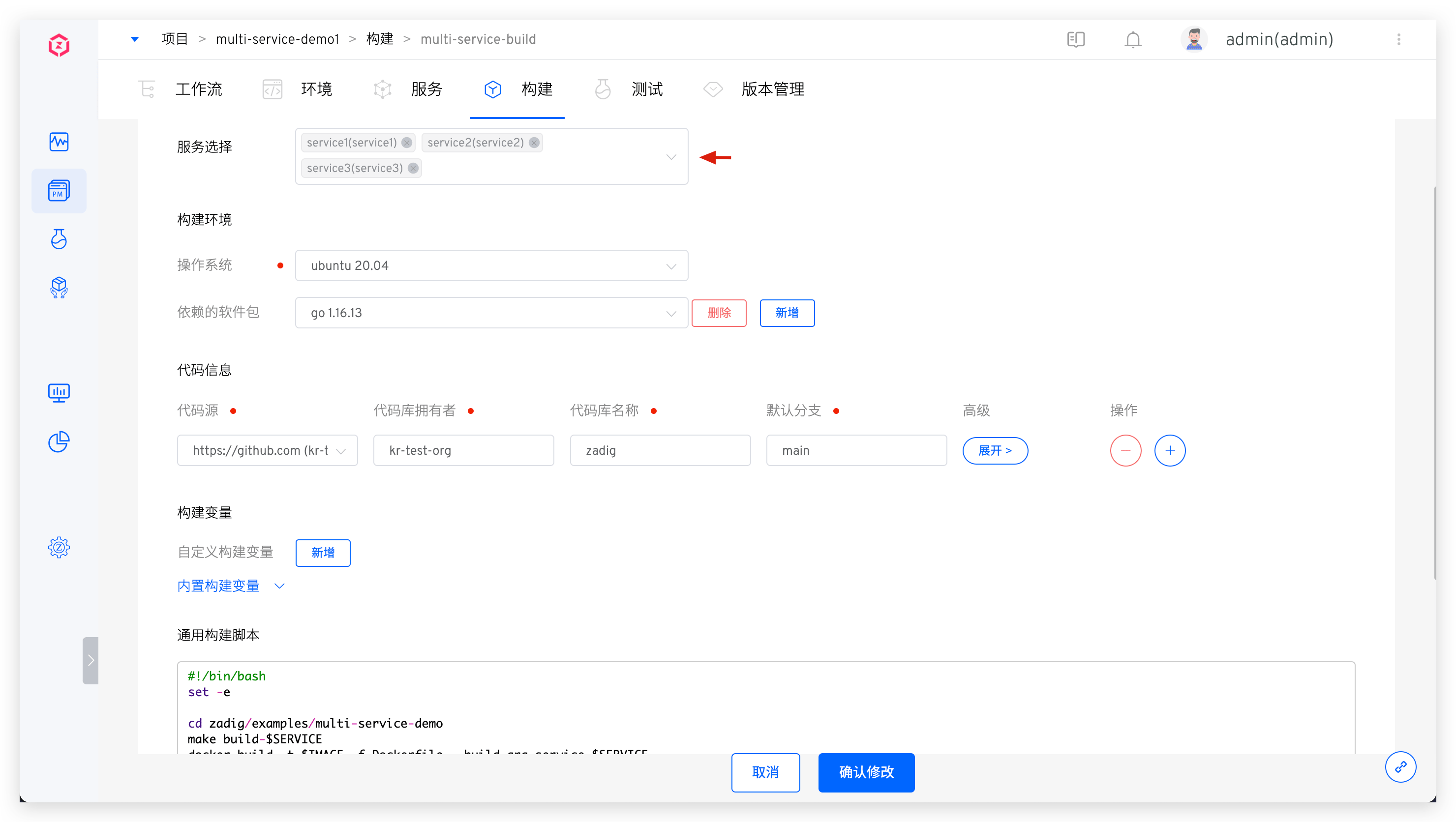
Create a Zadig build, select multiple services in the Service Selection section, and configure the build environment, code information, and general build scripts as needed. Use the system-provided variables to achieve build sharing. The build scripts in this example are as follows:
cd zadig/examples/multi-service-demo
make build-$SERVICE
docker build -t $IMAGE -f Dockerfile --build-arg service=$SERVICE .
docker push $IMAGE
2
3
4
# Step 2: Associate Services
- When creating a build configuration, specify multiple services, or modify the build after creation and select multiple services in
Service Selection.

- You can also choose to reuse existing build configurations as needed to achieve build sharing when configuring services.

# Configure Workflow
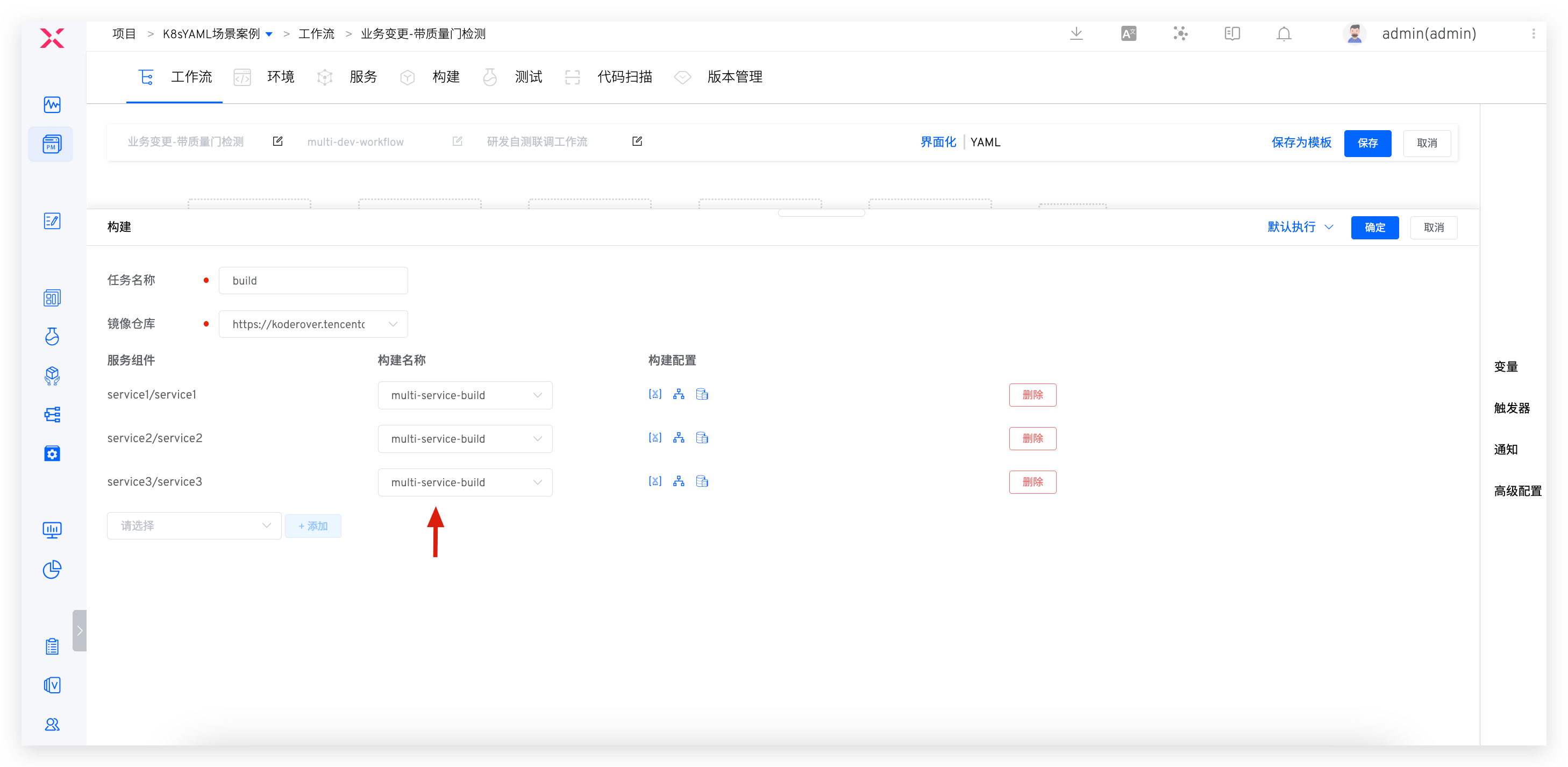
Edit the "Build" task in the workflow, select the service and the corresponding build, and multiple services can share the same build.